
Category: Unity
-

Scene Management in Unity 5
This tutorial shows how the manage scenes and levels in Unity 5.3, with the introduction of UnityEngine.SceneManagement.
-
How to Simulate Cellular Automata with Shaders
This post will show how to simulate cellular automata using shaders. The popular cellular automaton developed by John Conway, Game of Life, will be used as an example for this tutorial. To learn how to set up your project, check out the first two parts of this tutorial: How to Use Shaders For Simulations and How to Simulate Smoke with Shaders.
-
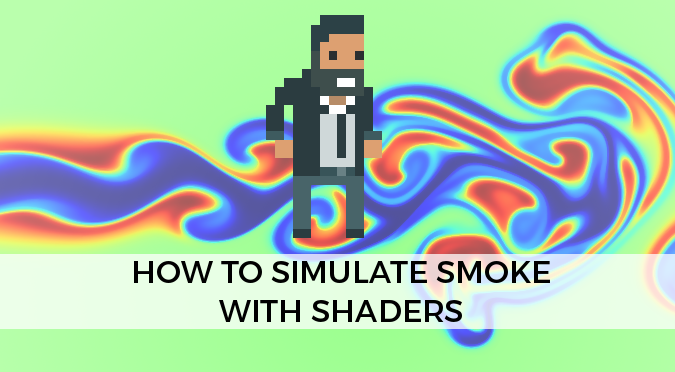
How to Simulate Smoke with Shaders
This post will show how to simulate the diffusion of smoke using shaders. This part of the tutorial focuses on the Maths and the code necessary to recreate the smoke effect. To learn how to set up your project, check out the first part: How to Use Shaders For Simulations.
-

How to integrate Arduino with Unity
In this tutorial you will learn how Unity and Arduino can communicate using the serial port. This tutorial requires both C# and Arduino scripts; the labels Unity and Arduino will be used to avoid confusion. The topic of connecting Arduino to Unity is further expanded in Asynchronous Serial Communication, where you can also download the entire Unity package.
-
How to Use Shaders for Simulations
This series of tutorials will teach you how use shaders for simulations; in particular how to use them to simulate fluids. This first post will focus on how to continuously process a texture using a shader. This technique is at the heart of most simulations and will be used in this series to implement shaders that simulate smoke and…
-
Unity Tips #1
This is the first part of a series of posts dedicated to the most useful, short and sweet tips to make the most out of Unity. Today we will focus on interesting features of the editor which can really speed up your workflow. You can use the hashtag #UnityTips to find many more tips posted by developers all around the world.
-
Arrays & shaders: heatmaps in Unity
—
This tutorial explains how to pass arrays to shaders in Unity. This feature has been present for a long time, but is mostly undocumented. Unity 5.4.0 Beta 1 will introduce a proper API to pass arrays to shaders; this technique however will work with any previous version. If you are using Unity 5.4+, please refer to the Arrays & Shaders…
-
The Secrets of Colour Interpolation
This post discusses about the tricky problem of colour interpolation, and explores possible solutions. Many software and engines offer read-to-use functions to interpolate colours. In Unity, for instance, Color.Lerp is available and does its job pretty nicely. Use the interactive swatch below to see how Color.Lerp works. There’s nothing wrong in using these functions, as long as you know…
-

Accessibility Design: Color Blindness
The filter This tutorial will teach you how to create and use post-processing effects which simulate how colour blind players might experience your Unity game. One of my most anticipated games is The Witness; since it uses so many vibrant colours, it will be used as an example in this tutorial. This is how a player affected by red-green colour blindness (protanopia) might see…
-
Impossible Geometry: Non-Euclidean Cubes
This tutorial will teach you how to create non euclidean cubes in Unity, giving the illusion that each face is a door onto another dimension. This post is part of a series of tutorials on impossible geometries. This effect can be seen in many game, most notoriously Antichamber which uses it extensively. You can download the Unity package here.